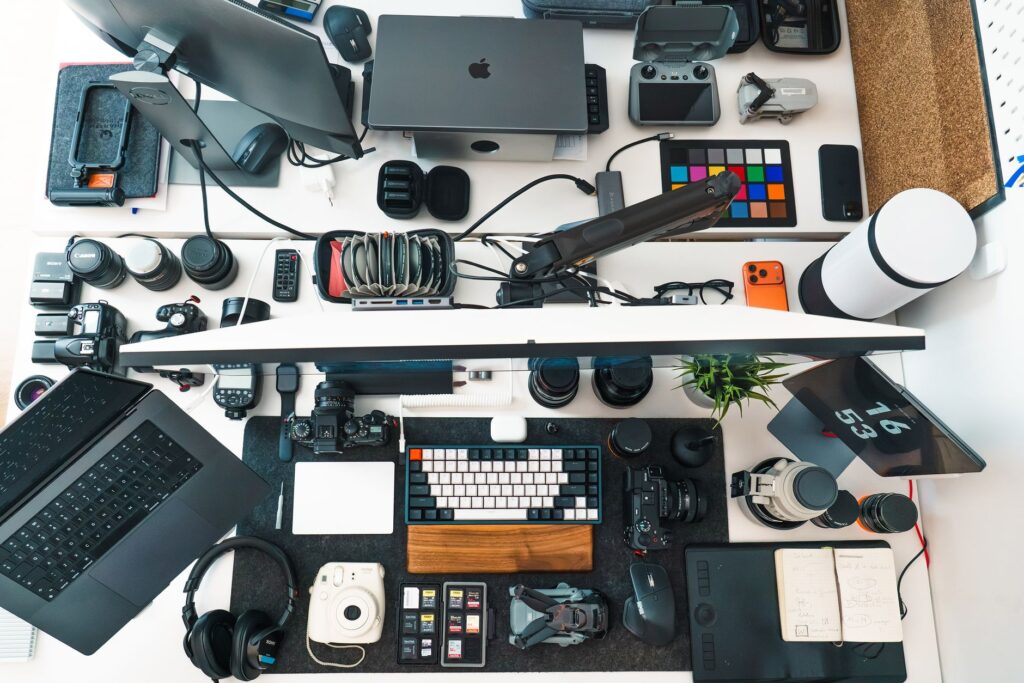
Used electronics have become one of the main things I sell on eBay.
Phones, iPods, cameras, portable audio players, game systems, older electronics — basically anything relatively small that can still have decent value.
I didn’t start out knowing that was going to be my category.
When I first started reselling, I tried clothing too. Clothing is obviously a huge category and plenty of sellers are great at it, but it wasn’t the best fit for me.
It takes up more space. You have to inspect for stains, holes, spots, measurements, and other issues that can be easy to miss. Then you have to store all of it.
Electronics just fit me better.
A small electronic might have a surprising amount going on inside of it while still fitting in your hand.
That combination — small size, decent value, and relatively easy storage — is one of the biggest reasons I gravitated toward them.
This is basically the complete process I use now.
Why I Like Small Electronics
The value-to-size ratio is probably the biggest reason.
I run my reselling business out of a relatively small space, so storage matters.
I’d much rather have a phone, camera, or iPod worth $100 sitting in a tote than a huge $100 item taking up half the room.
Small electronics are usually easier to:
- store;
- organize;
- photograph;
- test;
- pack;
- and ship.
I’ve sold large items before, and there are absolutely situations where they’re worth it.
But over time I’ve intentionally moved toward smaller inventory.
I talk more about that in Why I Stopped Selling Large Items on eBay.
Older Electronics Can Be Surprisingly Durable
One thing I like about vintage electronics is that many of them were built pretty well.
Obviously they can break.
Batteries die.
Screens fail.
Capacitors age.
Things corrode.
But the electronics themselves are usually protected by a plastic or metal housing, and a device that has spent 15 or 20 years sitting on a shelf can sometimes still work perfectly fine after a basic cleaning.
A lot of the time the worst thing that happened to it was dust.
You wipe it down, put batteries in it or plug it in, and sometimes it comes right back to life.
That makes this category fun for me.
Buying the Right Item Is the First Step
The sale really starts before I ever own the item.
I need to know whether the thing I’m looking at is actually worth buying.
That means researching:
- exact model;
- sold prices;
- recent demand;
- condition;
- included accessories;
- working versus broken value;
- and what I’ll have invested in it.
I can find inventory online, at garage sales, thrift stores, estate sales, or wherever something interesting turns up.
Garage sales can actually be fun because you can talk to people.
If I see somebody selling random household stuff, I might ask:
Do you happen to have any old phones, cameras, iPods, or electronics you’re trying to get rid of?
Sometimes they do.
Electronics certainly aren’t the only category where this works. You can apply the same approach to whatever you sell.
They’re just the category I enjoy.
I Still Check Sold Listings Constantly
Even after selling electronics for years, I still look things up.
You eventually develop some instincts.
You start recognizing certain iPods, cameras, phones, Sony products, memory cards, and other devices.
But prices change.
Something that was hot six months ago may cool down.
Something obscure can suddenly become popular.
Certain vintage electronics can appreciate while newer technology usually depreciates.
So I keep checking sold listings.
I care much more about what buyers actually paid than what another seller happens to be asking.
Someone can list an item for $500.
That doesn’t mean it’s worth $500.
I want to see completed sales.
I Think About the Worst Case Before I Buy
This is especially important when buying untested electronics.
I don’t look at a pile of untested devices and mentally calculate the profit assuming everything works.
I do almost the opposite.
I ask:
What if all of this is broken?
Can I still get my money back?
Can I still make something?
If the answer is yes, that’s a much safer buy.
Obviously I hope some of it works.
And usually some of it does.
That’s the upside.
But I try not to make a purchase that requires everything working perfectly just for me to break even.
Untested doesn’t automatically mean broken, but I still price the risk conservatively. I explain why in What Does “Untested” Mean on eBay? Does It Mean Broken?
I go much deeper into this in Should You Buy Untested Electronics to Resell?
When I Get Something Home, I Clean It
I’m not doing a museum restoration.
These are used electronics.
But I want the item clean enough that the buyer can actually see its condition.
Dust, fingerprints, grime, and residue can make a perfectly decent device look terrible.
Sometimes a simple wipe-down dramatically improves the appearance.
At the same time, I don’t try to hide defects or make something look new when it isn’t.
If there’s a scratch, I photograph it.
If there’s a blemish on the screen, I show it.
The goal is:
Clean it up without misrepresenting it.
I have a separate guide on Should You Clean Items Before Selling on eBay? My Experience.
Then I Test It
Testing is one of the biggest parts of selling electronics.
The exact test depends on the item.
I’m not spending two hours running every device through every function mentioned in a 100-page manual.
But I want to test the functions that actually matter.
Cameras
With a digital camera, I’ll usually check:
- power;
- LCD;
- lens extension and retraction;
- buttons;
- zoom;
- photo capture;
- flash;
- battery operation;
- and basic playback.
Sometimes I’ll even record a quick video.
I’ll say something like:
Testing one, two. Testing one, two.
Then I’ll play it back.
Older cameras can be weird, though.
Some record video without audio.
Some have microphones but no built-in speaker, so the video records sound even though you can’t hear it directly on the camera.
If the camera is valuable enough and I’m unsure, I may put the memory card into a computer and verify the file there.
You don’t necessarily need to go that far on every $20 camera.
It’s a judgment call.
iPods and MP3 Players
With an iPod, I’ll generally check:
- power;
- charging;
- screen;
- buttons or click wheel;
- navigation;
- playback;
- headphone output when practical;
- and battery behavior.
I’m also paying attention to whether the battery percentage drops unusually quickly.
Older batteries are one of the biggest variables with vintage electronics.
CD and Cassette Players
For an older CD, cassette, or microcassette player, I might check:
- power;
- play;
- stop;
- rewind;
- fast-forward;
- headphone output;
- radio;
- and record function when the device supports it.
If the main mechanism doesn’t even move, that’s obviously important information.
Remotes
There’s a simple trick for many infrared remotes.
Put batteries in the remote and point its infrared end at your phone’s camera.
Press a button while looking at the remote through the camera.
Many phone cameras can show the infrared light flashing even though your eyes can’t see it directly.
It’s a quick way to verify that the remote is at least transmitting.
Phones Require Their Own Checks
Phones are a little different because accounts and locks matter.
With a modern smartphone, I want to know:
- does it turn on?
- does the touchscreen work?
- do the buttons work?
- do the cameras work?
- is the screen okay?
- what’s the battery condition when available?
- can the device be factory reset?
- is there an account or activation lock?
For an iPhone in particular, an unresolved Activation Lock changes the value dramatically.
If I can’t remove a lock and legitimately prepare the phone for the next owner, I’m treating it as a parts-type item rather than a normal usable phone.
I also avoid putting sensitive identifiers such as a complete IMEI into my public listing photos.
Older 2G/3G-era phones are different.
Some buyers aren’t buying them as daily-use phones at all.
They’re collecting Razrs, Sidekicks, sliders, swivel phones, flip phones, and other designs because they like the device itself.
With those, I may be testing the menu, buttons, camera, screen, and basic operation rather than promising modern cellular compatibility.
For Me, “Tested” Means It Works
I try to keep this simple.
If I call an item tested, I mean I tested it and I’m comfortable saying that it works.
If all I know is that it turns on, I say it turns on.
If it’s untested, I say untested.
If I already found a problem, I say what the problem is.
I don’t discover that something is broken and then downgrade my wording to untested.
I wrote a whole article about this distinction in What Does “Tested” Mean on eBay? What Buyers and Sellers Should Know.
Broken Doesn’t Mean Worthless
I rarely throw an electronic away just because it doesn’t work.
Phones, cameras, iPods, game systems, portable audio players, and plenty of other electronics can still have parts value.
There are repair shops, refurbishers, hobbyists, collectors, and parts buyers who know exactly what they’re looking for.
Sometimes my job is simply to identify the problem, price the device accordingly, and sell it to somebody who can do more with it than I can.
I explain that process in How I List Broken Electronics on eBay (For Parts or Repair).
I Usually Don’t Repair Everything
Sometimes repairing something makes sense.
Sometimes I want to learn.
I’ve messed with things like soldering and battery replacement partly because I was interested in learning how it works.
That’s different from believing I need to repair every item I sell.
Time matters.
If somebody who repairs the same model every day can fix it in 10 minutes and I need two hours, I’d rather sell it to them and move on.
A phrase I use a lot is:
A fast nickel is better than a slow dime.
I don’t follow that perfectly every time.
Sometimes I hold out on price too.
But generally, I want inventory moving.
I explain the repair decision more fully in Why I Usually Don’t Repair Electronics Before Selling Them.
Battery Condition Is One of the Hardest Things to Describe
Older rechargeable batteries are tricky.
A device can work perfectly and still have a battery that is nowhere near its original capacity.
An old iPod may originally have lasted many hours longer than it does today.
So even if I get three hours out of an old battery, I don’t necessarily want to describe that as an amazing battery.
I try to underpromise.
If the battery is clearly weak, I say it’s weak.
If it’s bad, I say it’s bad.
If I haven’t tested it long enough to know exact runtime, I say battery strength is unknown.
I’ve learned that buyers sometimes have trouble with older electronics even when the device works normally.
They may use the wrong charger.
They may not charge it long enough.
They may expect a 20-year-old battery to behave like a brand-new phone.
So I want the description to be conservative.
I break down this decision further in Should You Replace the Battery Before Selling Electronics on eBay? My Experience
I Take a Lot of Photos
I probably take more photos than I need.
I’m okay with that.
I want buyers to see:
- front;
- back;
- sides;
- screen;
- ports;
- controls;
- model information;
- accessories;
- obvious wear;
- and anything unusual.
If it powers on, I like showing it powered on.
If it’s a camera, show the display and extended lens.
If there’s a flaw, photograph the flaw.
With older iPods, I may also show the menus and playback screen simply to demonstrate that the device navigates and plays media.
I don’t treat existing music or files as part of the product I’m selling; the important point is demonstrating that playback and storage functions work.
For devices that can contain personal accounts or information, I remove that data and reset the device when appropriate before handing it off.
My photography process is in My Simple Photo Setup for eBay.
My Titles Are Functional, Not Fancy
I want the title to tell the buyer what the item is.
Usually that means some combination of:
- brand;
- model;
- capacity;
- color;
- useful model number;
- important condition wording.
eBay currently gives sellers up to 80 characters in the listing title, so the space is valuable. eBay
If something is sealed, SEALED can matter.
If there’s an important problem, I may use READ, FOR PARTS, or a short explanation.
I’m trying to give buyers useful information, not fill the title with marketing fluff.
My Description Says What I Actually Know
I want the description to answer:
What works?
What doesn’t?
What did I test?
What is included?
What isn’t included?
Is the battery weak?
Are there scratches?
Is there engraving?
Did I notice anything unusual?
That’s basically it.
If I don’t know something, I’d rather say I don’t know.
If an item isn’t fully operational, I use the condition that accurately reflects that. In electronics categories, eBay currently defines Used as fully operational and functioning as intended, while For parts or not working applies to items that aren’t fully operational or need repair. eBay
I Try to Underpromise and Overdeliver
I’m very careful with words like:
Excellent
Amazing
Like new
Unless something genuinely deserves it, I don’t want to oversell condition.
I feel the same way about battery health.
For example, I personally don’t consider an older phone sitting near 80% battery health to have an especially strong battery just because the number sounds like a passing grade.
That’s my judgment as a seller.
I’d rather tell a buyer exactly what the number is and let them decide.
The goal is for the buyer to open the package and think:
This is better than I expected.
Not:
This seller made it sound better than it is.
I Usually Start Toward the Higher End of a Realistic Price
Once I know the item and condition, I look at sold comps.
If the realistic range is $70–$100 and mine is clean, well-photographed, accurately described, and complete, I may start closer to the higher end.
I think presentation matters.
Good lighting and clear photos give buyers more confidence.
But starting high doesn’t mean refusing to move.
I’m Aggressive About Lowering Prices
If something isn’t selling, I’ll adjust.
I’ll send offers.
I’ll lower the price.
I might accept 10%, 15%, or 20% off depending on the item and how long I’ve had it.
Sometimes more.
I don’t usually accept somebody immediately trying to cut my price in half.
But I also don’t want an ordinary electronic sitting around for two years because I’m emotionally attached to my original number.
Demand changes.
Prices change.
Inventory should move.
I explain that in more detail in When Should You Lower Your eBay Price?
I Reuse Packing Materials Constantly
Packaging costs money.
So I reuse a lot.
Amazon boxes.
eBay boxes.
Clean packing paper.
Bubble wrap.
Air pillows.
Even magazine pages or other clean paper can become filler in the right situation.
If I receive perfectly good packing material, throwing it away just so I can buy new packing material doesn’t make much sense to me.
I do buy supplies too.
Sometimes you need the right box.
But a pack of small boxes can cost more than a dollar per box, so reusing good shipping material absolutely adds up over time.
Electronics Get Wrapped Well
I lean toward overpacking rather than underpacking.
Bubble wrap goes around the item.
Then I use paper or another cushioning material around that.
Then it goes into the appropriate box.
I don’t want the device moving around inside.
A few cents of extra protection is much cheaper than dealing with a broken item and a return.
I have a full walkthrough in How I Pack Electronics for eBay (My Simple Shipping Process).
Lithium Batteries Have Their Own Rules
This is one area where my process has changed as shipping rules changed.
With used lithium-battery electronics sent through USPS, I use an eligible surface transportation service, package the item in a rigid outer package, protect it against movement, short circuit, and accidental activation, and use the markings required for that particular shipment. Used devices containing lithium batteries also require the applicable Restricted Electronic Device / Surface Transportation Only marking. Postal Explorer
The exact lithium-battery mark isn’t identical for every possible package.
For example, UN3481 applies to lithium-ion batteries installed in or packed with equipment, while UN3480 applies to standalone lithium-ion batteries. But USPS also has exceptions from the DOT lithium-battery mark for certain small quantities installed in equipment, so I don’t recommend blindly printing the same UN mark for every electronic. Postal Explorer
Shipping rules change, so this is one area where I check the current carrier requirements instead of relying on what I did years ago.
Returns Are Part of the Business
Returns happen.
Sometimes I made a mistake.
Sometimes something develops a problem.
Sometimes the buyer changed their mind.
And sometimes a buyer says an electronic is defective, sends it back, and I receive it and discover it works exactly as it did before I shipped it.
Older electronics can be confusing.
Wrong charger.
Wrong cable.
Different charging behavior.
Unfamiliar controls.
You can explain everything and still occasionally get a return.
My return rate is low enough that I don’t view returns as a reason to avoid the category.
But if I suddenly saw my return rate climbing significantly, I’d start auditing my testing and descriptions to figure out why.
I explain my process in How I Handle eBay Returns as a Seller (My Actual Process).
Why This Category Still Works for Me
Electronics aren’t perfect.
Shipping battery-powered devices has become more complicated.
Testing takes time.
Returns happen.
Sometimes you buy something that turns out to be dead.
But overall, the category still fits how I want to run my business.
I like things that are:
- small;
- reasonably valuable;
- easy to store;
- interesting to research;
- testable;
- and relatively straightforward to photograph and list.
And I genuinely enjoy messing around with the stuff.
That’s important too.
A job is still a job.
But if you’re going to spend hours doing something, it’s nice if at least part of the process is interesting.
My Complete Process
If I had to reduce everything I do to one line, it would be:
Research → Buy → Clean → Test → Reset/prepare → Photograph → Describe → Price → List → Adjust → Pack → Ship → Handle whatever happens afterward.
None of those steps is magic.
The advantage comes from doing them repeatedly and getting a little better at them over time.
You don’t need to know every electronic ever made.
I definitely don’t.
You need to know how to look something up.
How to test what is in front of you.
How to admit when you don’t know something.
And how to accurately tell the buyer what they’re getting.
Final Thoughts
Selling used electronics has become one of the biggest parts of my eBay business because it fits the way I like to work.
I like small items with decent value.
I like researching obscure models.
I like finding something that’s been sitting forgotten for years, testing it, cleaning it up, and realizing somebody still wants it.
And I like that even when something doesn’t work perfectly, there may still be a buyer for it.
The goal isn’t to make every item perfect.
It’s to understand what you have.
Research it.
Test it.
Describe it honestly.
Price it realistically.
Then move on to the next one.
New to Reselling on eBay? Start Here
For someone starting with electronics, I’d point them toward: