Packing electronics for eBay doesn’t have to be complicated.
Most of what I sell is relatively small — phones, iPods, cameras, small electronics, accessories, and similar items.
Packing is the final part of a much bigger workflow. I explain how I source, test, photograph, price, and sell these items in How I Sell Used Electronics on eBay (My Complete Process).
I do occasionally ship larger things too, but the basic goal is always the same:
Protect the item, keep it from moving around, and make sure it has a good chance of arriving in the same condition it left.
Over time, I’ve settled into a pretty simple process.
I’m not trying to make every package look fancy.
I’m trying to make it safe, efficient, reasonably inexpensive, and compliant with the carrier’s shipping rules.
Here’s how I actually do it.
I Start With the Item
Before I grab any packing material, I look at what I’m shipping.
A small phone doesn’t need the same amount of protection as a large stereo.
A camera with a protruding lens needs different protection than an iPod.
Older plastic electronics can also be more brittle than newer devices.
And something like a poster is a completely different type of shipment with its own packing method.
Posters are one exception because I use a completely different homemade package for them. I explain that process in How I Ship Posters on eBay Without Damaging Them.
So I don’t use one exact setup for everything.
I look at the item and think about where it could realistically get damaged.
I Give It One Last Check Before Packing
Before an item goes into the package, I give it one final look.
If there’s a fingerprint on the screen, I’ll wipe it off.
If a cable or accessory is included, I make sure it’s there.
If something has a loose cable, I’ll usually coil it loosely rather than stuffing it into the package however it lands.
These are used items, so I’m not trying to make them look brand new.
I just want the buyer to receive the same item, in the same condition, that they saw in the listing.
I cover more of that post-sale routine in What I Do After an Item Sells on eBay.
Bubble Wrap Is My Main Packing Material
For small electronics, bubble wrap does most of the work for me.
I usually buy the big rolls — around 700 feet total, often sold as two 350-foot rolls.
The kind I buy is perforated into roughly 12-inch sections.
For something like a phone, I commonly use about three sections, or roughly three feet of bubble wrap.
I put the device near one end and start rolling it.
Roll it.
Fold it.
Keep rolling until the device has several layers around it.
For a used phone, iPod, or similar battery-powered electronic that I’m mailing with USPS, that wrapped device then goes into an appropriately sized rigid outer box rather than being used as the finished outer package. USPS currently requires rigid outer packaging for mailable lithium-battery shipments unless a specific exception applies.
I Give the Screen Extra Protection
With a phone or iPod, I’m especially careful around the screen.
Once I’ve rolled the device in bubble wrap, there are normally a few inches of extra wrap extending beyond the ends of the phone.
I position the phone with the screen facing upward.
Then I fold those cushioned ends inward so they meet over the screen and secure the wrap with packing tape.
That gives the front of the device another padded layer.
Then I’ll press around the package with my fingers.
I want to feel cushioning, not the hard edge of the device immediately underneath my hand.
If it doesn’t feel protected enough, I add more.
Don’t Be Stingy With Bubble Wrap
Bubble wrap is cheap compared with a damaged electronic.
If I’m buying hundreds of feet for around $30, using another foot isn’t something I’m going to worry about.
A broken $50, $100, or $200 item is a much bigger problem.
Now you’ve potentially got:
- An unhappy buyer
- A refund
- A return
- More shipping cost
- A damaged item you may no longer be able to sell
I’d rather use slightly too much protection than slightly too little.
I’ve even had buyers specifically mention in feedback that an item was packed extremely well.
People notice.
I’ve Received Electronics That Were Barely Protected
Because I also buy inventory online, I get to see how other sellers pack things.
I once bought several cameras from a seller who seemed like a genuinely nice guy.
He even threw in an extra camera.
But the cameras were basically loose together inside the box without proper cushioning between them.
They could move around and hit each other during shipping.
Thankfully nothing broke.
I messaged him afterward, thanked him for the extra camera, and politely mentioned that if he sold heavier electronics again, I’d recommend wrapping them individually.
He mainly sold clothing and simply didn’t seem to realize how much protection cameras needed.
He actually thanked me for pointing it out.
Packing isn’t rocket science, but people who normally ship soft goods may not think about what happens when several hard, fragile objects are moving around together inside a box.
I Assume the Package Will Have a Rough Trip
I don’t pack something based on the assumption that everybody handling it is going to treat it gently.
Packages get moved around.
They get stacked.
They get dropped.
They get loaded into trucks and sorting equipment.
Once I think a package is finished, I’ll sometimes give it a pretty aggressive shake.
For certain items, I’ll even do a small controlled drop test.
My rule is basically this:
If I’m afraid to move the package around myself, I’m probably not finished packing it.
The carrier is not going to be gentler than I am.
Accessories Don’t Get to Hit the Main Device
If an item includes a charger, cable, battery, remote, or another hard accessory, I don’t want that piece bouncing against the main item.
For a cable, I may loosely coil it and use a loose rubber band.
Then I’ll wrap or separate it from the device.
A hard charger brick repeatedly hitting the screen of a phone during transit is an easy way to turn a perfectly good sale into a damaged-item claim.
So when several components are included, I think about them individually.
Lots Need Separation Too
The same rule applies when I’m shipping multiple phones together.
I don’t want the devices touching one another.
Depending on the items, I may wrap each phone individually.
Another method I use is one long sheet of bubble wrap.
I’ll place one phone down, roll enough bubble wrap over it to create a layer, place the next phone on top of another cushioned layer, roll again, and keep repeating.
The point is that there is always bubble wrap between the devices.
If I’m shipping a larger phone lot, I may split it into several smaller wrapped bundles inside the box rather than making one giant stack.
I Use a Rigid Box When the Item Needs One
I’m not interested in using a huge box just because I have one sitting around.
A larger box means more empty space, more filler, more weight, and potentially more shipping cost.
But the package still has to be appropriate for the item.
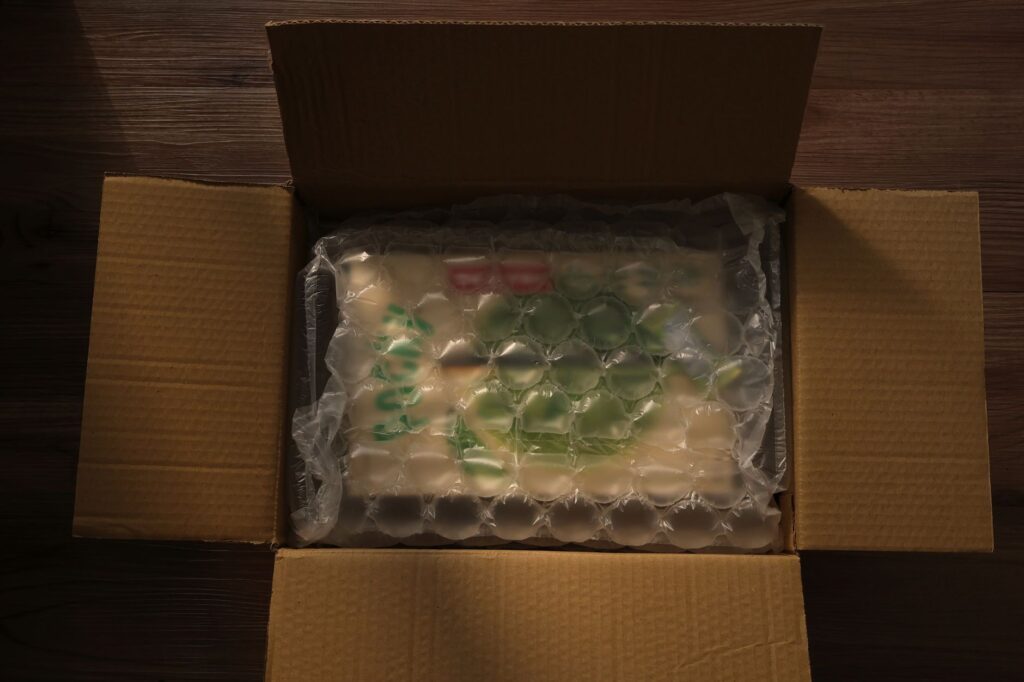
For cameras, fragile electronics, glass, larger devices, or anything that needs structural protection, I use a rigid box.
And for the used battery-powered electronics I commonly sell — such as used phones and iPods mailed through USPS — I use rigid outer packaging because current USPS lithium-battery rules require it for those shipments unless a specific exception applies.
The box doesn’t have to be enormous.
It just needs enough room for the wrapped device and appropriate cushioning.
Poly Mailers Still Have a Place
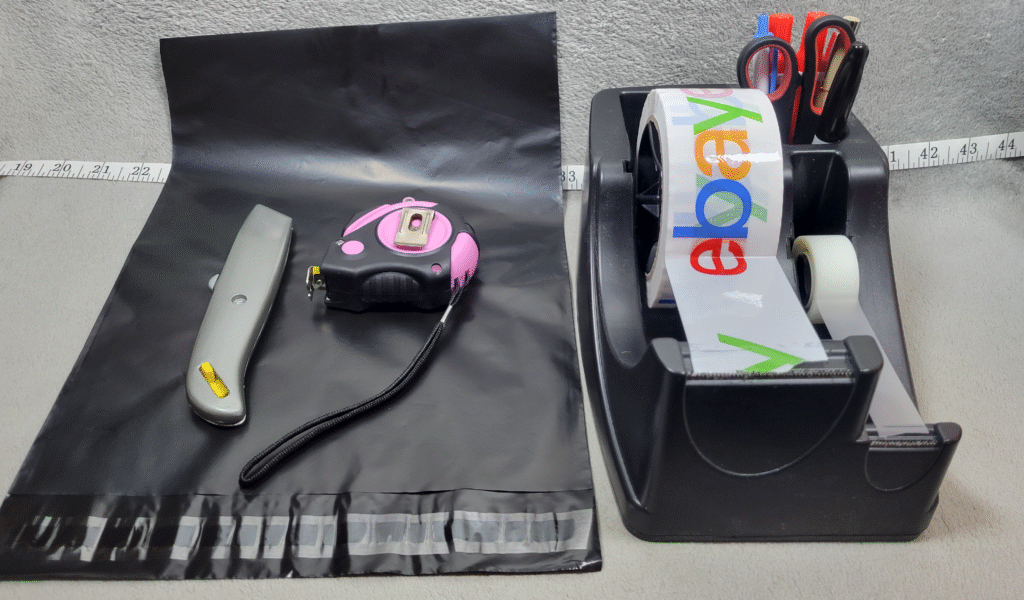
I still keep 10×13 poly mailers around.
They’re cheap.
They’re light.
They have an adhesive strip.
You can buy 100 at a time when you’re starting out or 500 or more when you’re shipping regularly.
I usually just buy plain white or black ones because they’re inexpensive.
But I use them for items where a flexible outer mailer is actually appropriate.
I don’t treat a poly mailer as the universal answer for every small item just because it’s lightweight.
If the item or carrier rules call for rigid outer packaging, I use a box.
I Don’t Want to Pay to Ship a Giant Package for No Reason
One reason I like selling small electronics is that they can have a lot of value without taking up much space.
A small properly packed box is easier to store, pack, weigh, and ship than a huge oversized package.
So I try to keep the finished shipment reasonably compact.
Enough room for protection?
Yes.
A giant box full of air?
No.
I talk more about my overall shipping setup in My Simple eBay Shipping Setup (How I Ship Orders From Home).
I Reuse Packing Materials Constantly
You do not need to buy every piece of packing material brand new.
I buy things from Amazon, eBay, and other places all the time.
If a shipment comes with clean brown packing paper, I save it.
If it comes with usable air pillows or other filler, I save those too.
If the box is still strong and clean enough to ship again, I’ll reuse it when appropriate.
When I first started and had fewer incoming packages, I got even more creative.
I had a paper shredder and would shred thin cardboard from things like cereal boxes to make filler.
It wasn’t fancy.
But it was free and useful.
Now I receive enough packages myself that I usually have more reusable material than I need.
Empty Space Gets Filled
If I’m using a box, I don’t want the item sliding from one end of it to the other.
That’s where packing paper and other filler come in.
I’ll fill enough empty space to keep the protected item where I placed it.
Then I shake the box.
If I can feel everything shifting around, I’m not done.
That doesn’t mean stuffing the box so tightly that you’re putting pressure on the device.
It just means the contents should stay in place.
Glass Gets Much More Protection
I don’t sell much glassware, partly because packing it properly is more work.
If I’m shipping plates, cups, or another fragile glass item, I use much more cushioning.
I want separation between each piece.
Glass shouldn’t be touching glass.
Those are the kinds of shipments where I’d much rather go overboard with packing material than discover afterward that I didn’t use enough.
It’s another reason I personally prefer small electronics.
They’re generally much easier to ship.
I Double-Check Everything Before Sealing the Box
Before I close the package, I check that everything promised in the listing is actually inside.
Device.
Battery.
Cable.
Charger.
Accessories.
Whatever was shown and described.
This is also why I like the main listing photo to show everything that’s included.
It’s clear for the buyer, and it gives me a simple visual checklist when I’m shipping the order.
I Keep My Supply Costs Reasonable
I don’t spend money trying to make every package look like a gift box.
My biggest regular packing purchase is bubble wrap.
I reuse boxes and filler.
I use my eBay Store shipping-supply credit when it’s available.
I buy packing tape when I need it.
The goal is to save money where it doesn’t hurt the shipment while not saving money at the expense of protection.
There’s a difference.
I Protect the Label Without Covering the Barcode
I had a shipment once where moisture caused printed address information to smear.
Since then, I’m more conscious about protecting the important printed information on a label.
If I use clear tape to help secure or protect a paper label, I make sure I do not cover the USPS barcode or Postal Use area.
USPS specifically warns that tape over the barcode can interfere with its processing equipment.
If you’re using a normal self-adhesive thermal label, this usually isn’t something you need to overthink.
The important part is that the label is secure, readable, and scannable.
I Weigh the Finished Package
The item weight isn’t the shipping weight.
Bubble wrap weighs something.
The box weighs something.
Packing paper weighs something.
Accessories weigh something.
Tape weighs something.
So I care about the weight of the finished package.
Once everything is inside and ready to go, I weigh it and use the accurate packaged weight when buying the label.
I cover the broader label and shipping setup in How to Set Up Shipping on eBay (Beginner Step-by-Step Guide).
Lithium Batteries Need Extra Attention
This is one area where I don’t guess.
A lot of the electronics I sell — phones, iPods, cameras, and similar devices — contain lithium batteries.
USPS has specific rules for those shipments.
For domestic USPS mail, used electronic devices containing lithium batteries are prohibited from air transportation and must go by surface transportation. USPS also requires used devices to be marked “Restricted Electronic Device” and “Surface Transportation Only” on the address side of the package.
The equipment also has to be protected from short circuit and accidental activation, individually cushioned, and packed so it can’t move around and become damaged during shipping.
For lithium-ion batteries, UN3481 is the relevant UN number when batteries are installed in or packed with the equipment they operate, while UN3480 applies to standalone lithium-ion batteries. However, the exact DOT lithium-battery marking requirements depend on the quantity and configuration of the shipment; USPS provides exceptions for certain small quantities installed in equipment.
So I don’t recommend blindly printing the same battery mark for every package.
I accurately declare the lithium battery when buying the shipping label, use an eligible surface service, use compliant packaging, and check the current USPS requirements for the specific shipment.
USPS currently lists a $50 HAZMAT noncompliance fee, so this is not an area where cutting corners saves money.
Good Packing Helps Prevent Returns
A perfect listing isn’t much help if the product gets destroyed after it sells.
You can test an item.
Take great photos.
Describe everything accurately.
Then pack it poorly and create a problem anyway.
Now the buyer is unhappy and you’re dealing with a refund or return.
I explain my actual return process in How I Handle eBay Returns as a Seller (My Actual Process).
I’d rather spend another minute packing something properly than spend days dealing with the consequences of shipping damage.
Final Thoughts
My electronics-packing process isn’t complicated.
I use plenty of bubble wrap.
I protect screens and fragile areas.
I separate accessories.
I keep multiple devices from touching each other.
I use an appropriately sized box when the item or carrier rules require one.
I fill empty space.
I shake-test the finished package.
I reuse clean packing materials whenever I can.
I weigh the shipment after it’s completely packed.
And when batteries are involved, I follow the carrier’s current packaging, transportation, declaration, and marking rules instead of treating the package like an ordinary non-hazardous item.
The biggest lesson is simple:
Don’t be cheap with protection.
A little extra bubble wrap and a proper box cost much less than replacing a damaged electronic.
You don’t need a warehouse or some complicated shipping department.
You just need a process that works, and you need to be willing to update that process when experience — or the shipping rules — changes.
New to Reselling?
If you’re just getting started, these guides cover more of the process I use: